Utilities
Battery Health Pro
Understand your battery. Build better habits.
4.425 ratings
See your charge at a glance, explore charging history, and keep battery health records across iPhone, iPad and Mac.
Charging habits
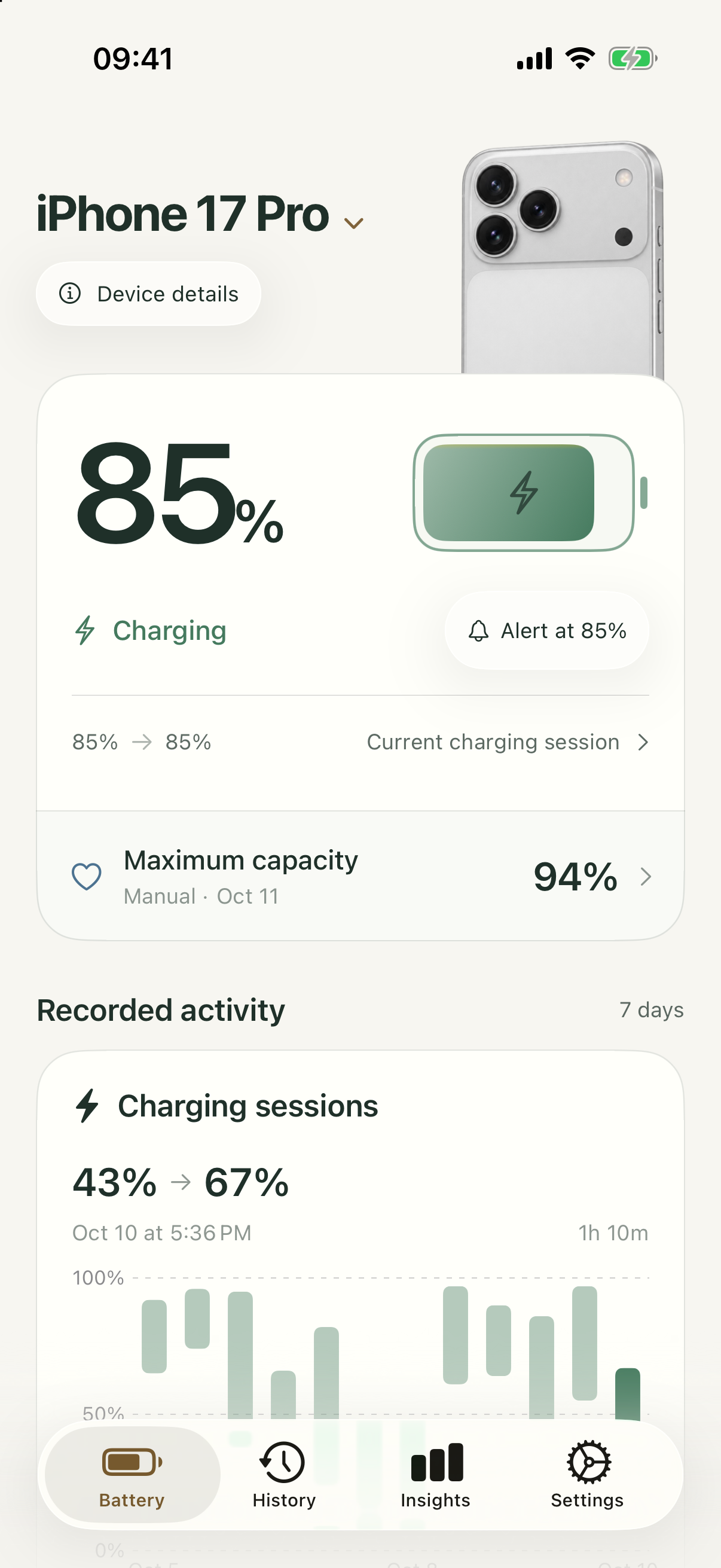
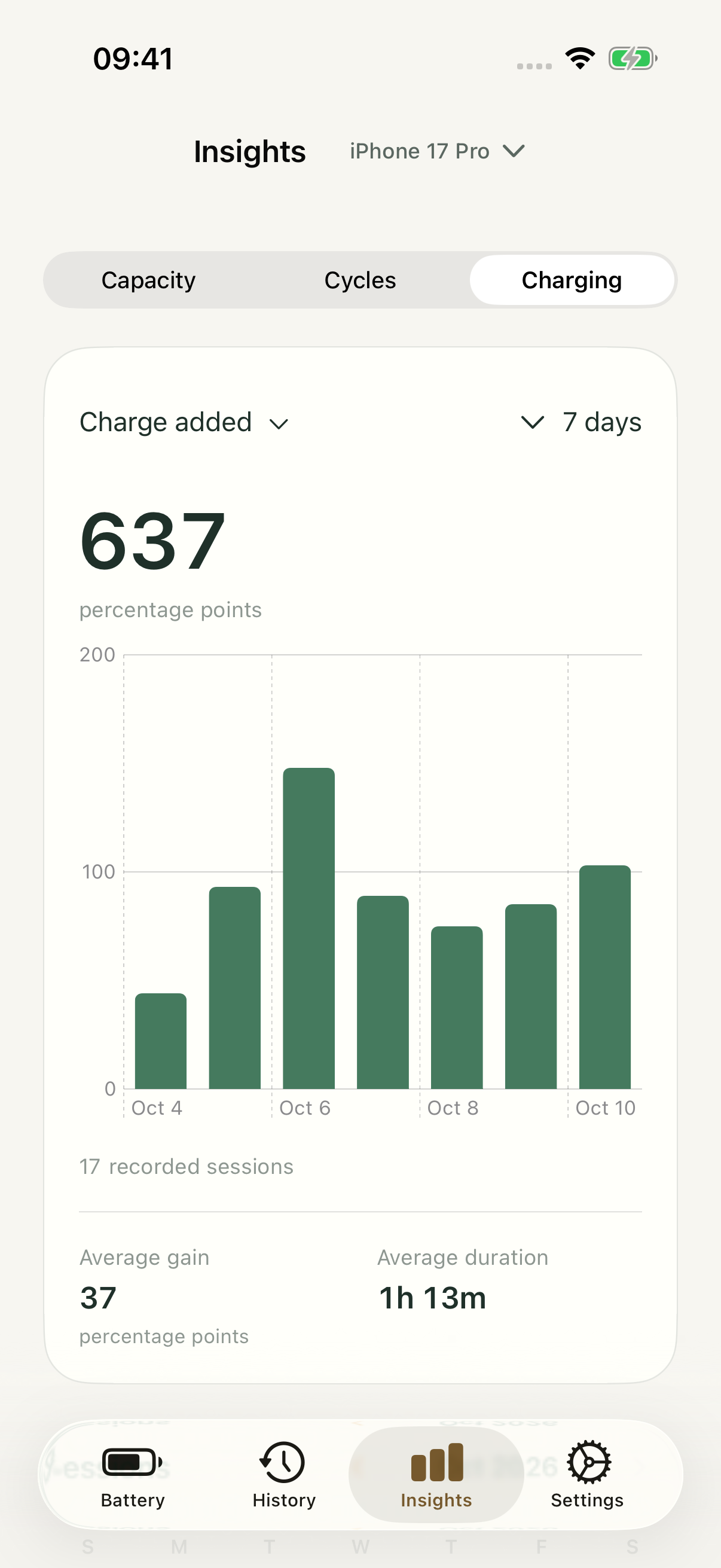
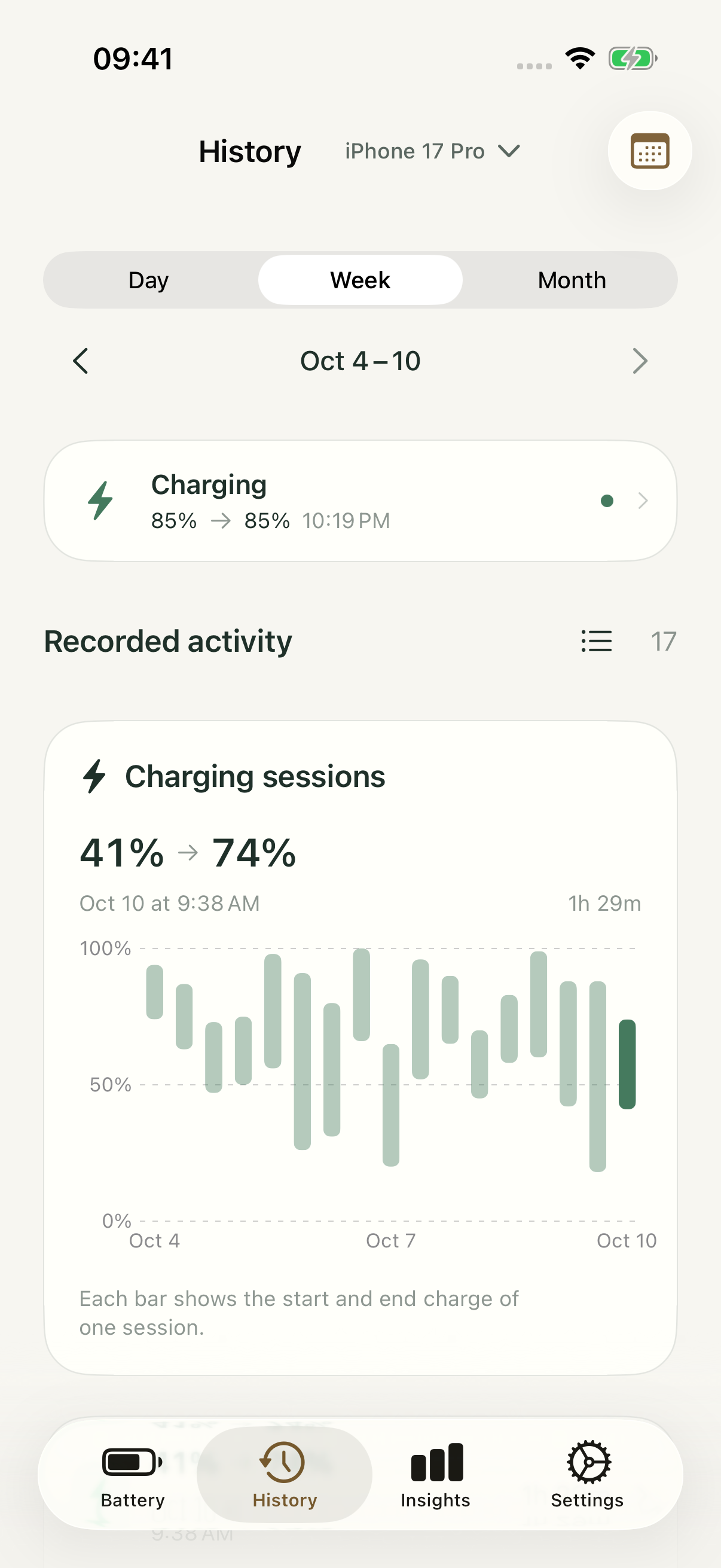
See the pattern in every charge.
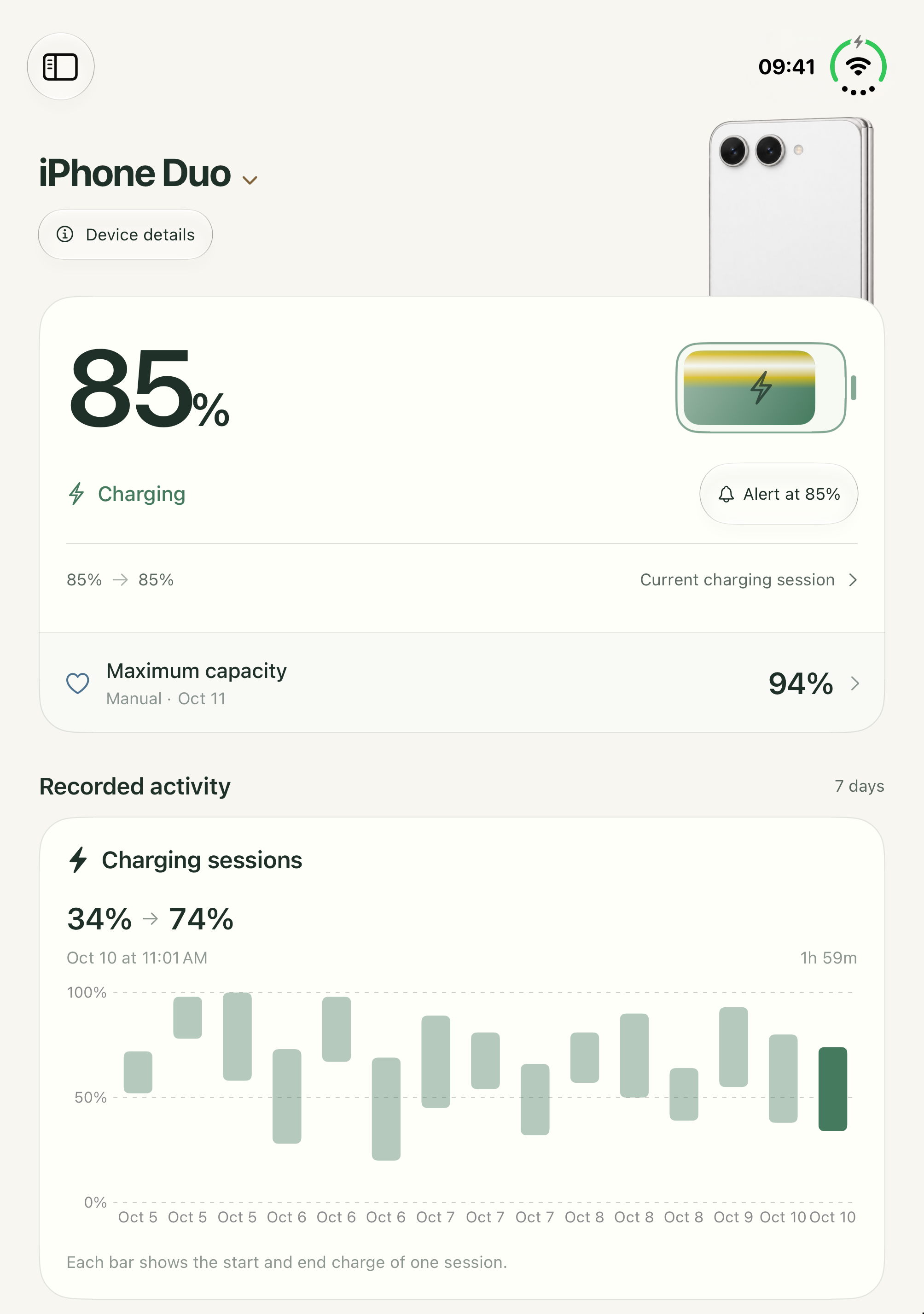
Explore your charging calendar and recorded sessions. Compare start and end charge, review session duration, and understand the habits behind your week.
Made for Mac
A clearer picture of your battery.
Bring current charge, measured health, cycle count and available power details together. Follow saved observations over time in a workspace built for your Mac.

Health over time
Keep a record worth looking back on.
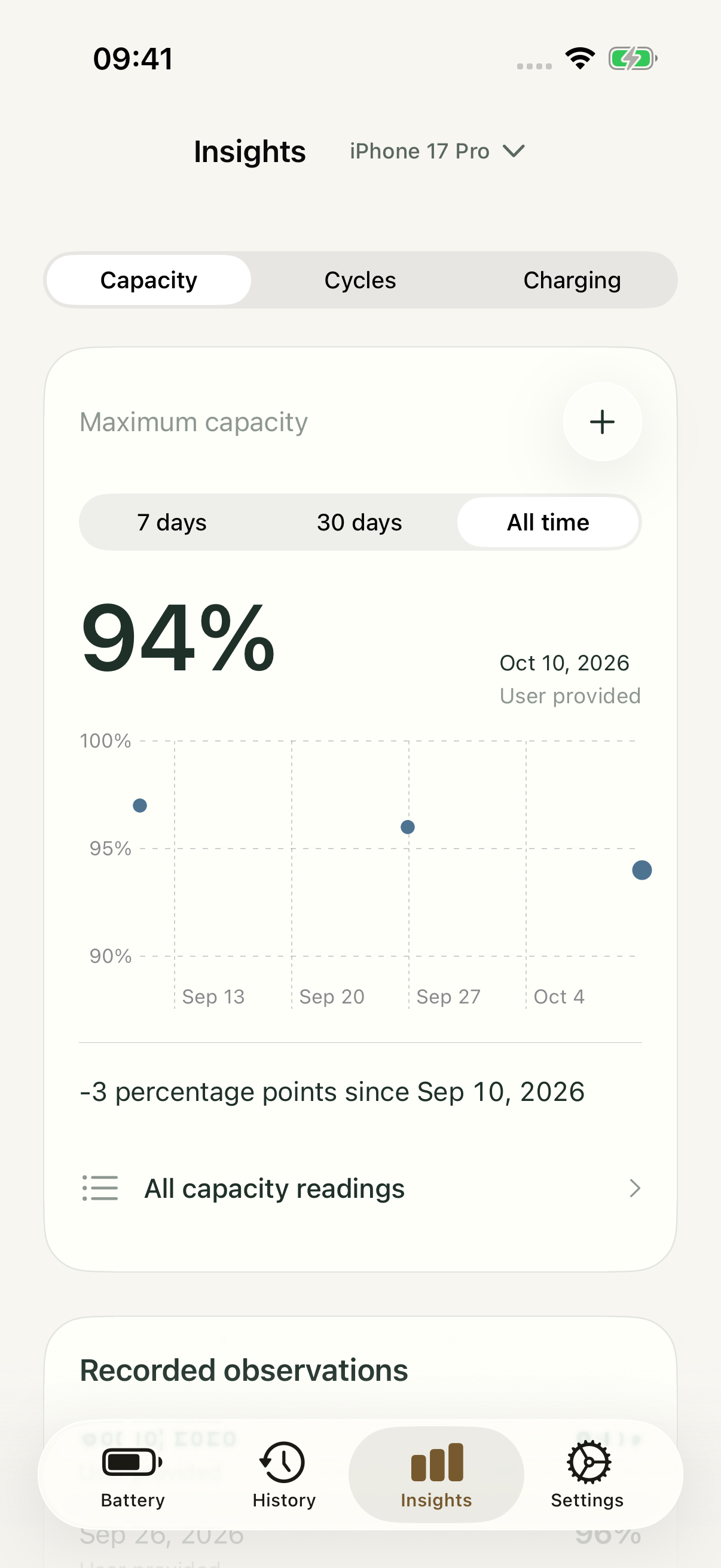
Save dated capacity and cycle readings on iPhone and iPad, and follow measured battery health on supported Macs. See what changed and when.
Folded or unfolded
A quick glance. A wider view.
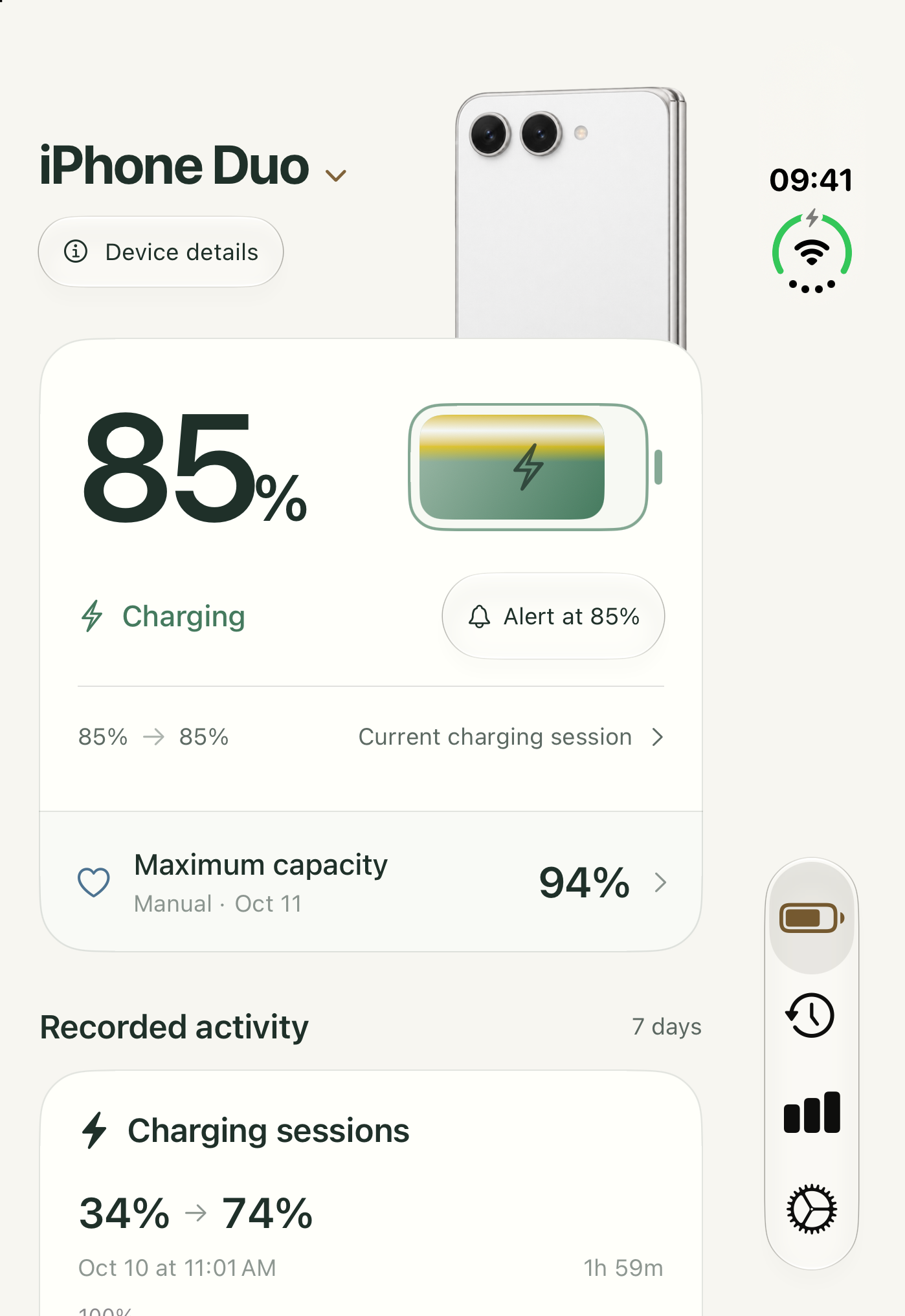
Check your charge on the outer display. Open iPhone Duo for more room to explore your battery and recorded activity.
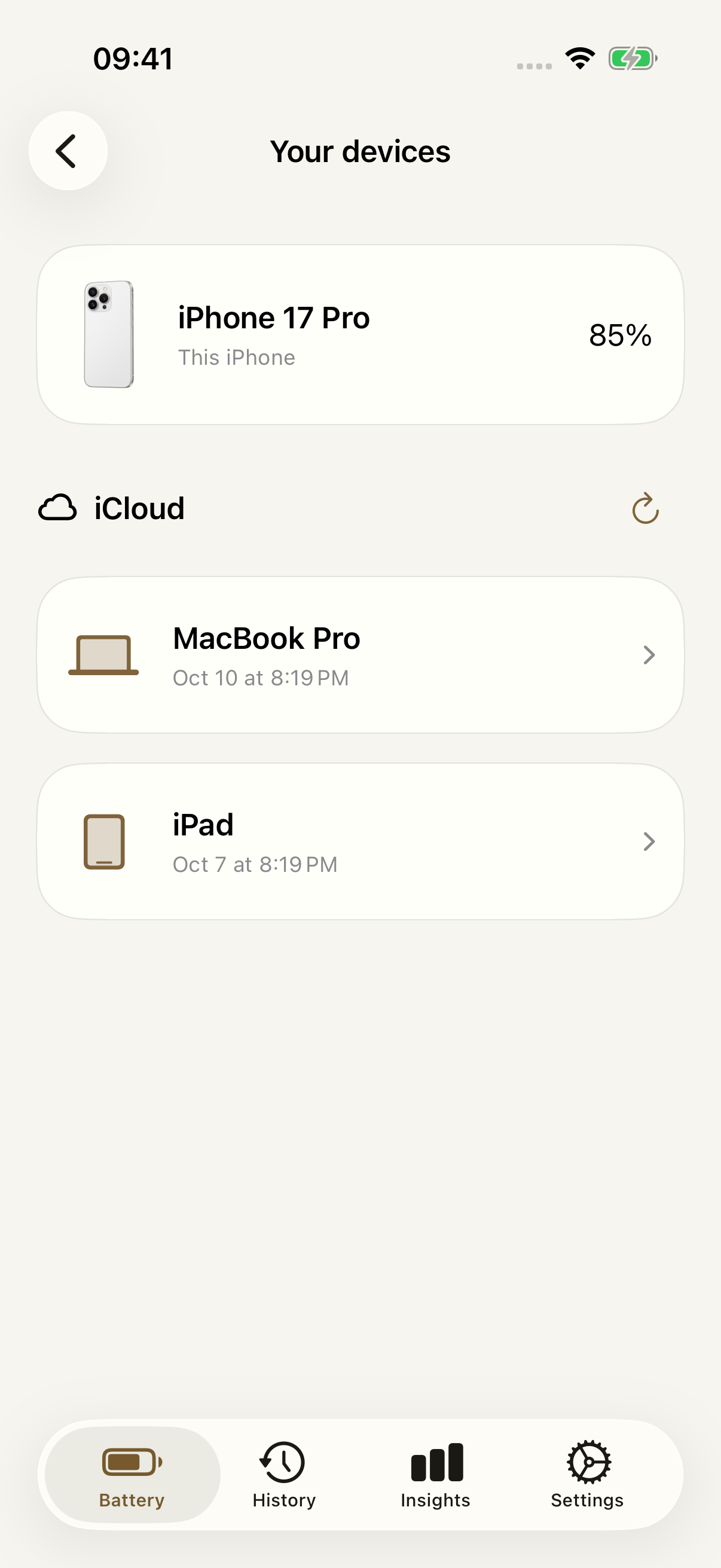
Your devices. Your history.
Keep the whole picture close.
Check shared device snapshots through iCloud, then look back through your own charging history. Clear timestamps keep every reading in context.
Download
Ready to try Battery Health Pro?
Battery Health Pro is available on the App Store for supported devices.

Free web tool
Try the iPhone Battery Health Estimator.
Estimate battery health and cycle count in the browser, then use Battery Health Pro for tracked battery records and exports.
- A calm overview of your current charge and recorded activity.
- Charging calendars, session charts and clearer patterns over time.
- Dated capacity and cycle records, with measured health on supported Macs.
- Device snapshots shared through your iCloud account, with clear observation times.
- Charge alerts, personal themes and battery reports you can save or share.
A closer look
Battery Health Pro, in more detail.
What it is
Battery Health Pro brings charge status, recorded sessions, saved health readings and practical charging insights into one calm workspace. Review a day or a week, keep dated capacity and cycle records, set charge alerts, and share clear reports. Optional iCloud sharing keeps your other devices within reach.
Who it helps
Battery Health Pro is designed for iPhone, iPad and Mac owners who want clearer charging records and battery context.
- Review saved capacity, cycle count and charging records
- Follow measured Mac battery health and dated records over time
- Set charge alerts and monitor daily habits
- Export reports for service, resale, or long-term records
FAQ
Questions, answered.
Does Battery Health Pro read iPhone battery health automatically?
On iPhone and iPad, you save maximum-capacity and cycle readings yourself using the app’s guidance. On supported Macs, the app reads the battery measurements made available by the system. Saved readings retain their date so you can follow changes over time.
Can I check my other devices?
Optional iCloud sharing lets compatible devices signed in to the same Apple Account exchange battery snapshots and records. Each reading shows when it was observed, so you can tell a recent reading from an older one.
What can I learn from charging history?
Review recorded sessions, start and end charge, duration and charging patterns. Charts use the observations the app actually saved, with gaps where readings were unavailable.
Can I export my battery records?
Create a PDF report or export supported records as CSV or JSON, then choose where to save or share the file.
How does Battery Health Pro handle privacy?
Records are stored on your devices. Optional device sharing uses your iCloud account. Battery Health Pro has no ads or third-party analytics SDK, and no separate app account is required.
Newsletter
New apps and product notes.
Occasional updates, no spam.
Your email is used only for NextTap updates. You can unsubscribe from any email.