
Utilities
ESG Client Navigator
Keep every ESG engagement on track
Plan ESG projects, track owners and deadlines, and manage SFDR, CSRD, EET, and GRI readiness in one focused Mac workspace.
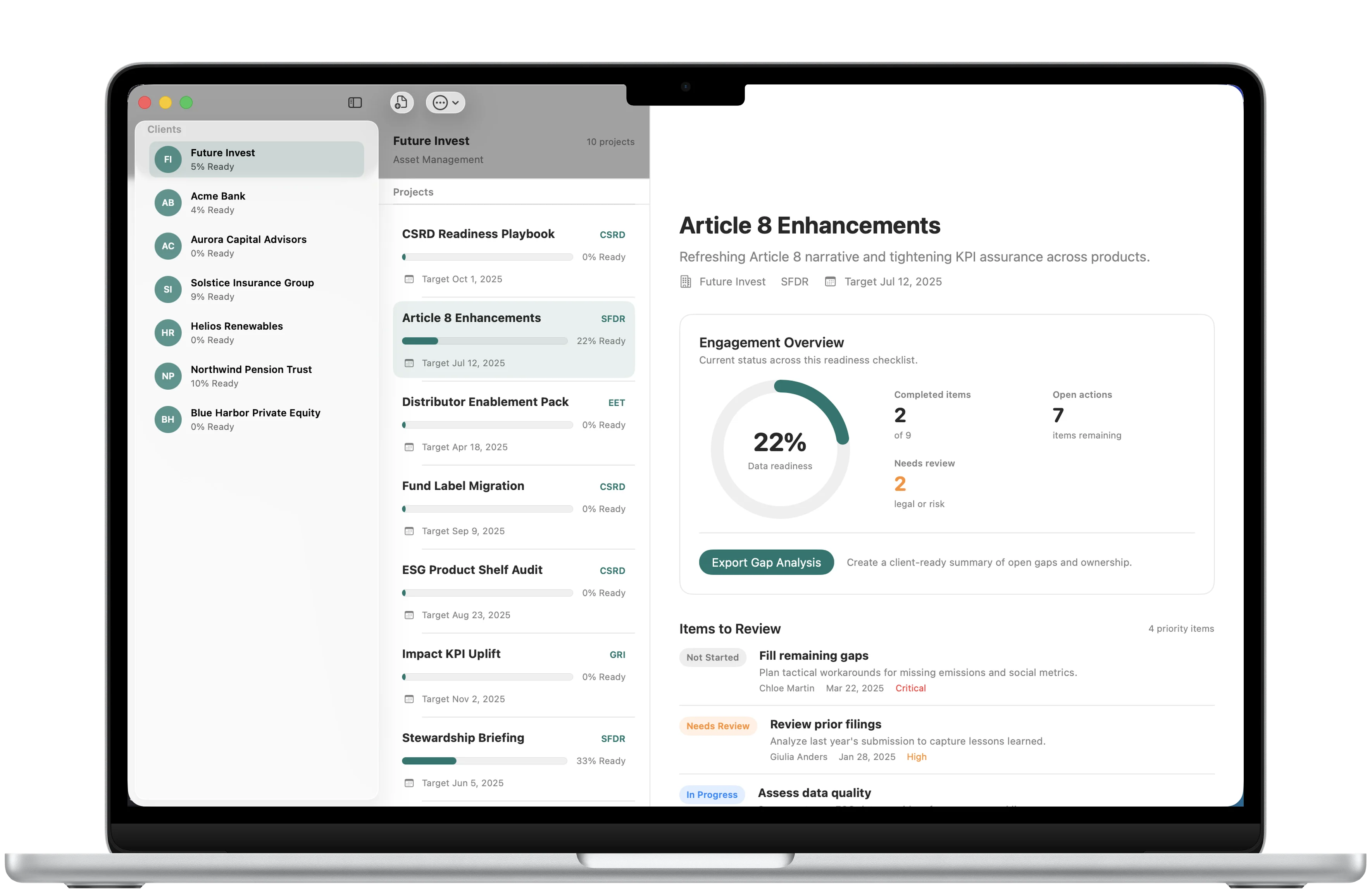
Readiness at a glance
See what needs attention.
Readiness, open actions, and priority items stay visible across every client engagement.
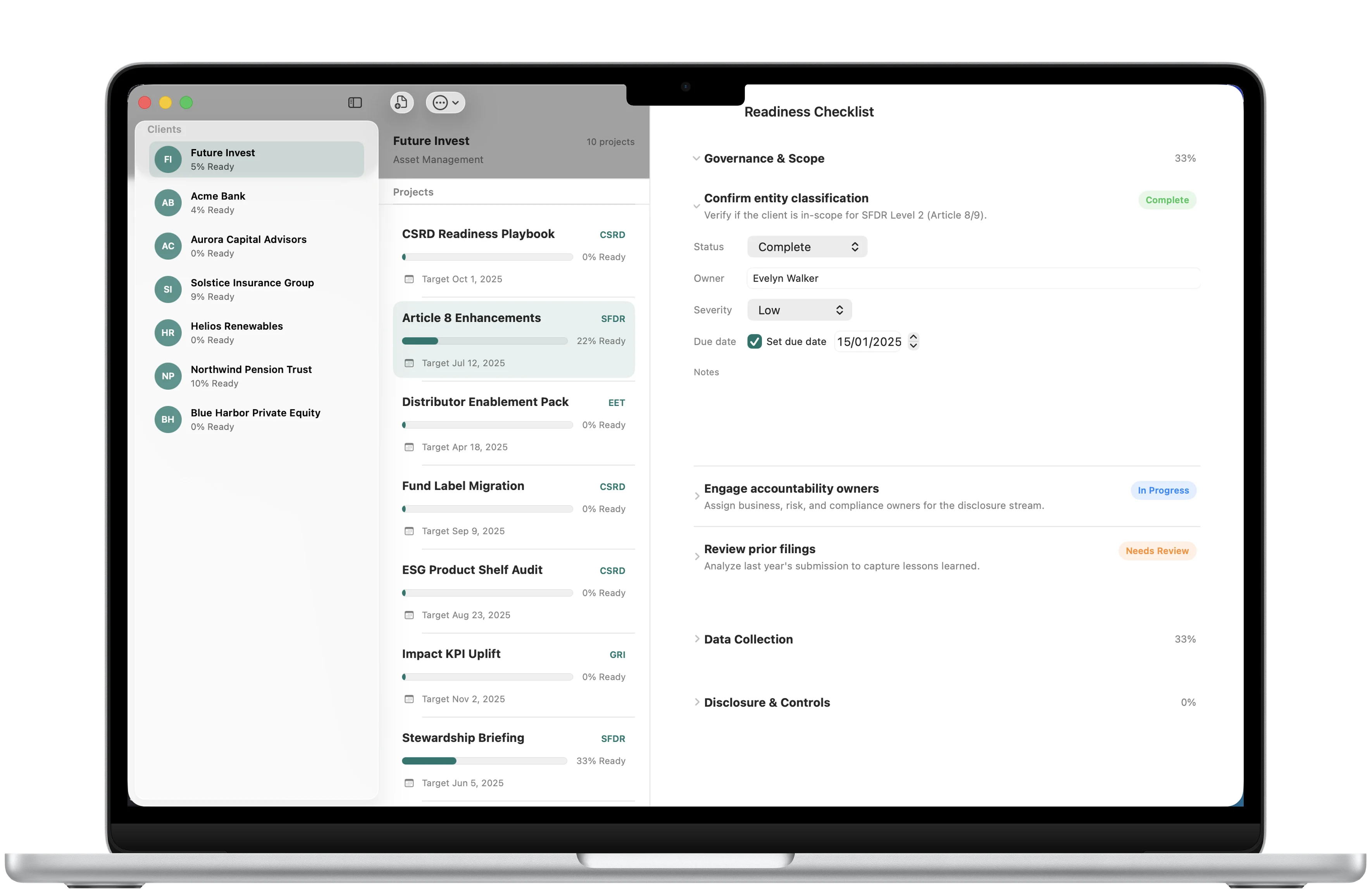
Every requirement
Keep owners and deadlines clear.
Track status, owner, target date, severity, and notes for each checklist item.
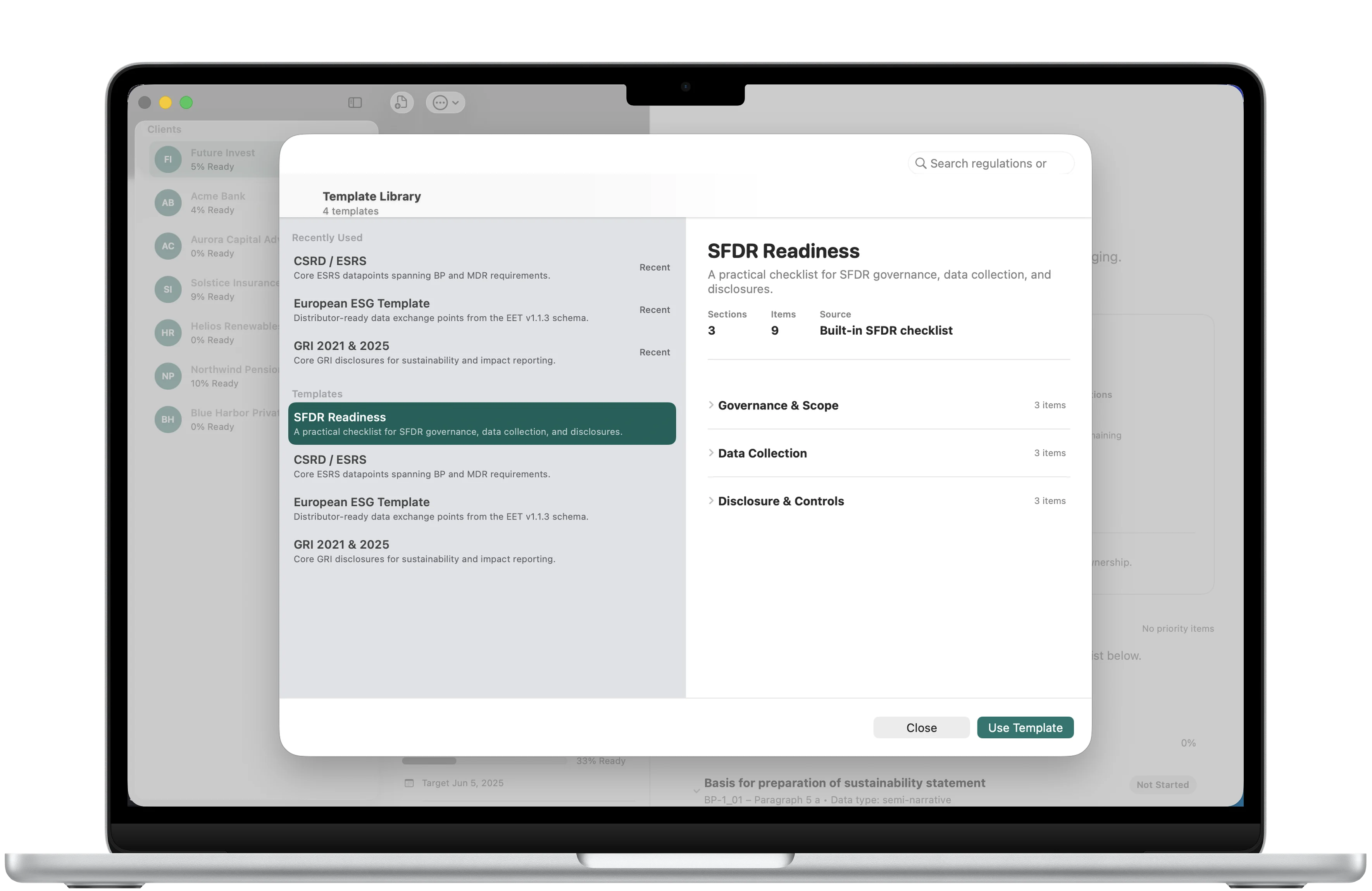
Built-in frameworks
Start with the right checklist.
Choose SFDR, CSRD, EET, or GRI and reuse the right structure for each client.
Download
Ready to try ESG Client Navigator?
ESG Client Navigator is available on the App Store for supported devices.

A closer look
ESG Client Navigator, in more detail.
What it is
Plan ESG engagements, track every requirement, and see what needs attention from one focused Mac workspace. Start with SFDR, then use Navigator Pro for unlimited clients, CSRD, EET, GRI, and Gap Analysis PDF export.
Who it helps
ESG Client Navigator is designed for ESG consultants and sustainability advisors managing readiness work across clients.
- Organize clients and ESG readiness projects
- Work through SFDR, CSRD, EET, and GRI checklist templates
- Track status, owners, target dates, notes, and severity
- Review readiness and create Gap Analysis PDF reports
FAQ
Questions, answered.
Who is ESG Client Navigator for?
Built for ESG consultants and sustainability advisors who manage readiness work across clients.
How does it work?
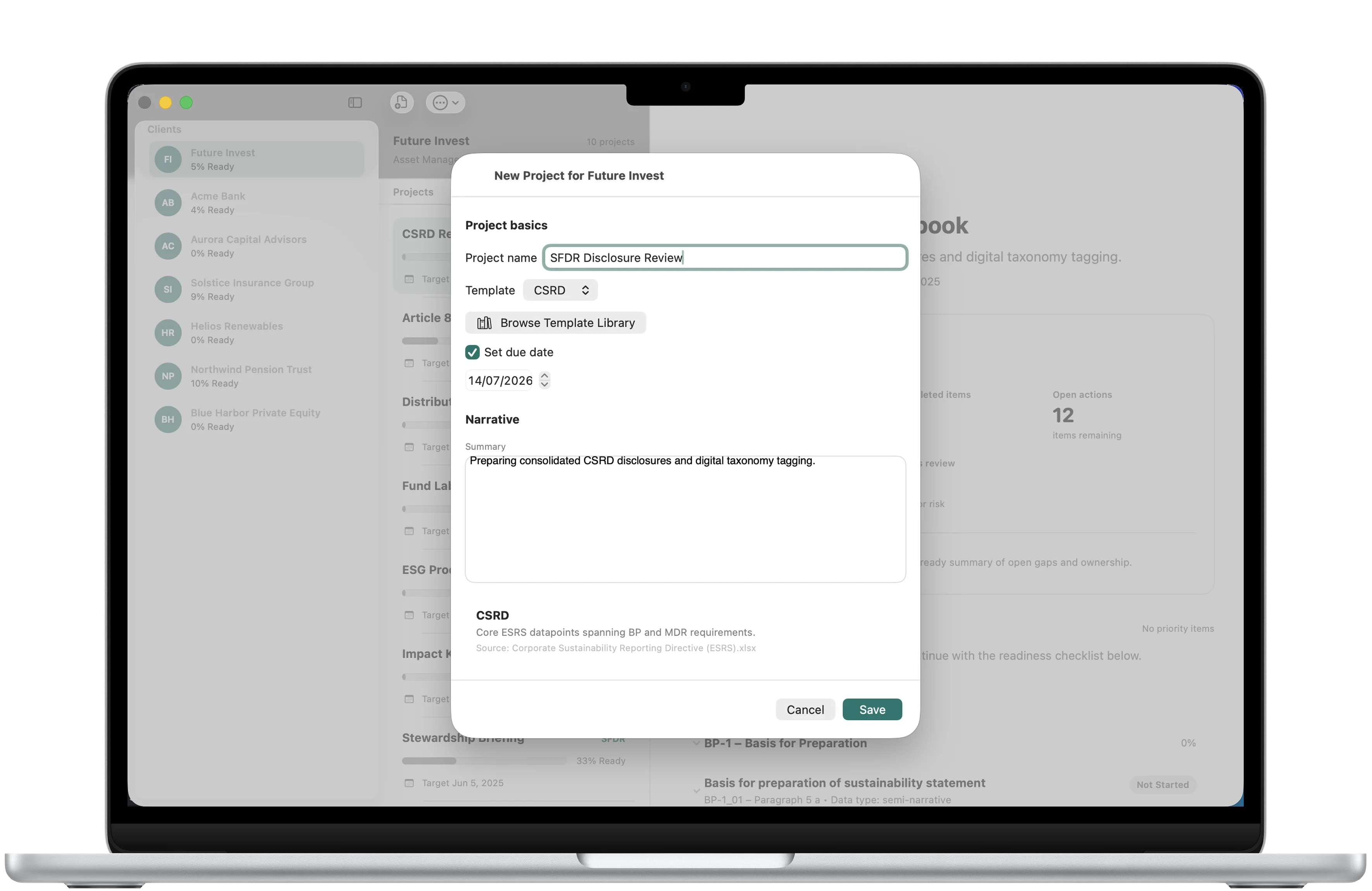
Create a client, choose a framework, and work through the checklist. Every item can include a status, owner, target date, severity, and notes.
What is included for free?
The free workspace supports one client and the SFDR checklist.
What is included with Navigator Pro?
Navigator Pro unlocks unlimited clients, the CSRD, EET, and GRI templates, and Gap Analysis PDF export. It is a one-time EUR 49.99 purchase.
Where is workspace data stored?
Your workspace stays on your Mac. Backups and Gap Analysis PDFs are saved only where you choose.
Which platform and languages are supported?
Available on Mac in English and Arabic, with full right-to-left layout.
Newsletter
New apps and product notes.
Occasional updates, no spam.
Your email is used only for NextTap updates. You can unsubscribe from any email.