
Utilities
Network Monitor+
Real-time network diagnostics, no fuss
4.85 ratings
Monitor network health on Mac, iPhone and iPad. Check latency, jitter and connection history, with deeper Mac insights and baseline comparisons in Pro.
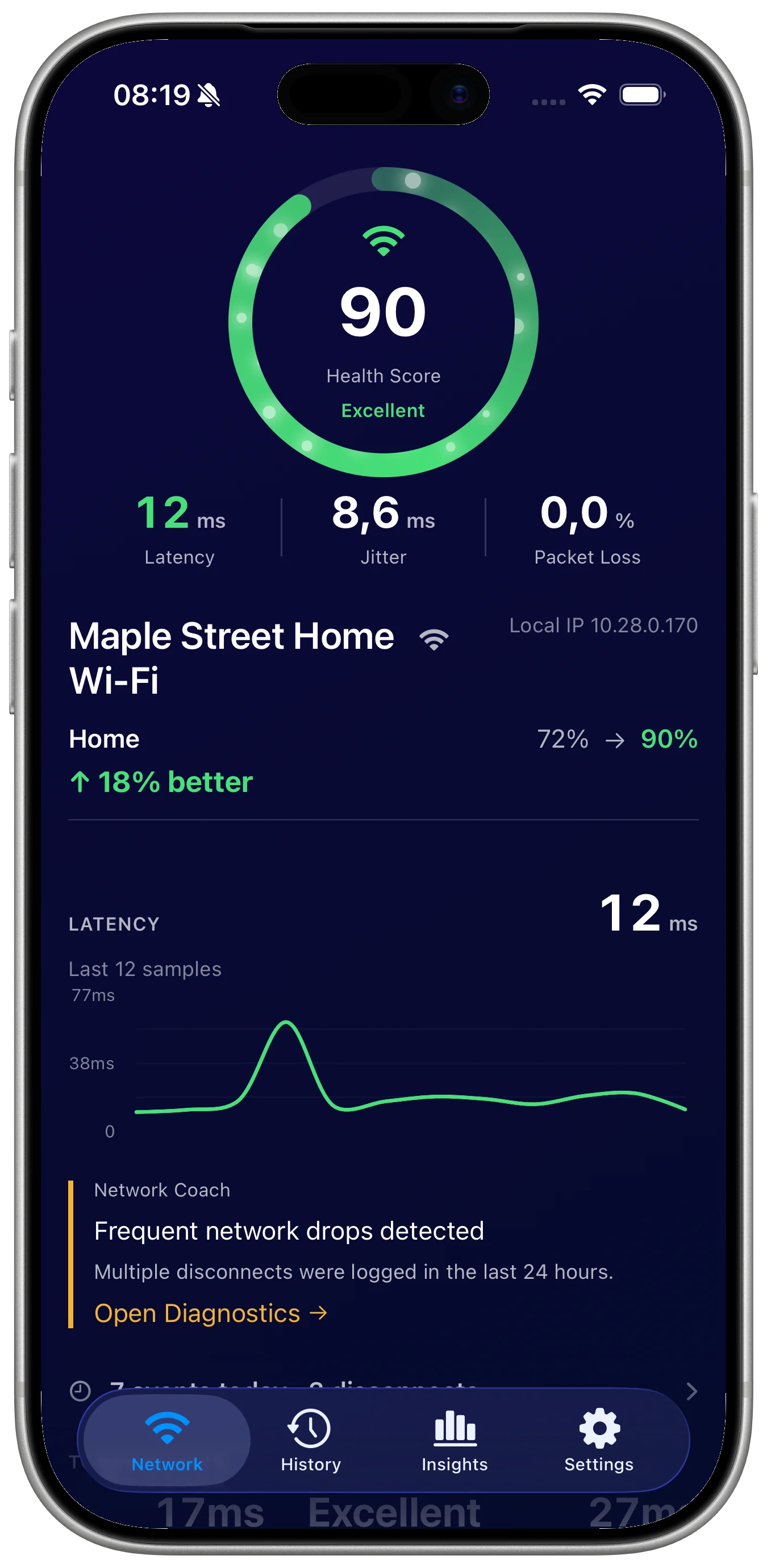
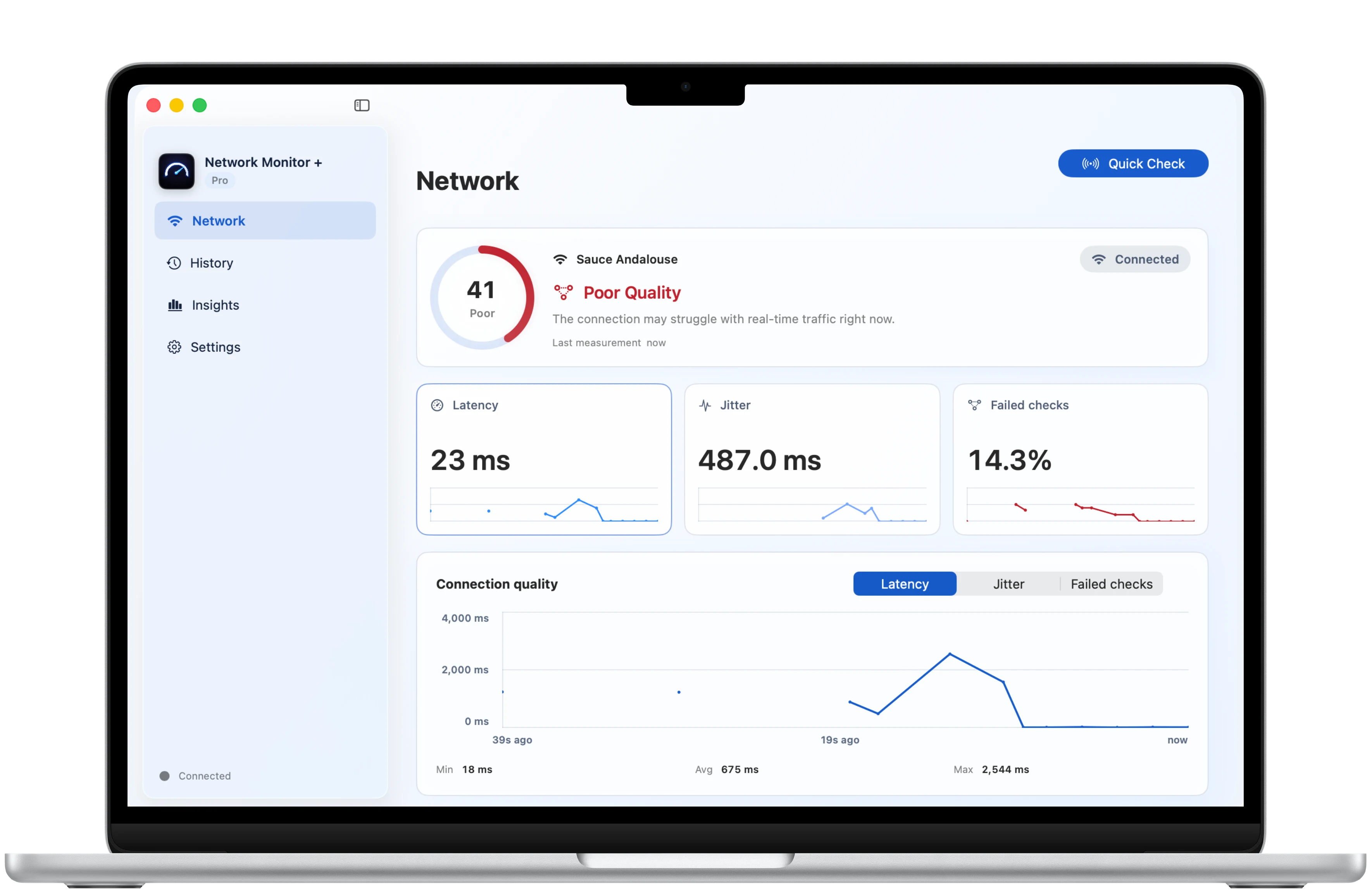
Network Monitor + for Mac
Keep your connection in view while you work.
See connection health, latency, jitter, and recent traffic together in a focused Mac dashboard. Check the signals behind an interrupted call or an unreliable connection.
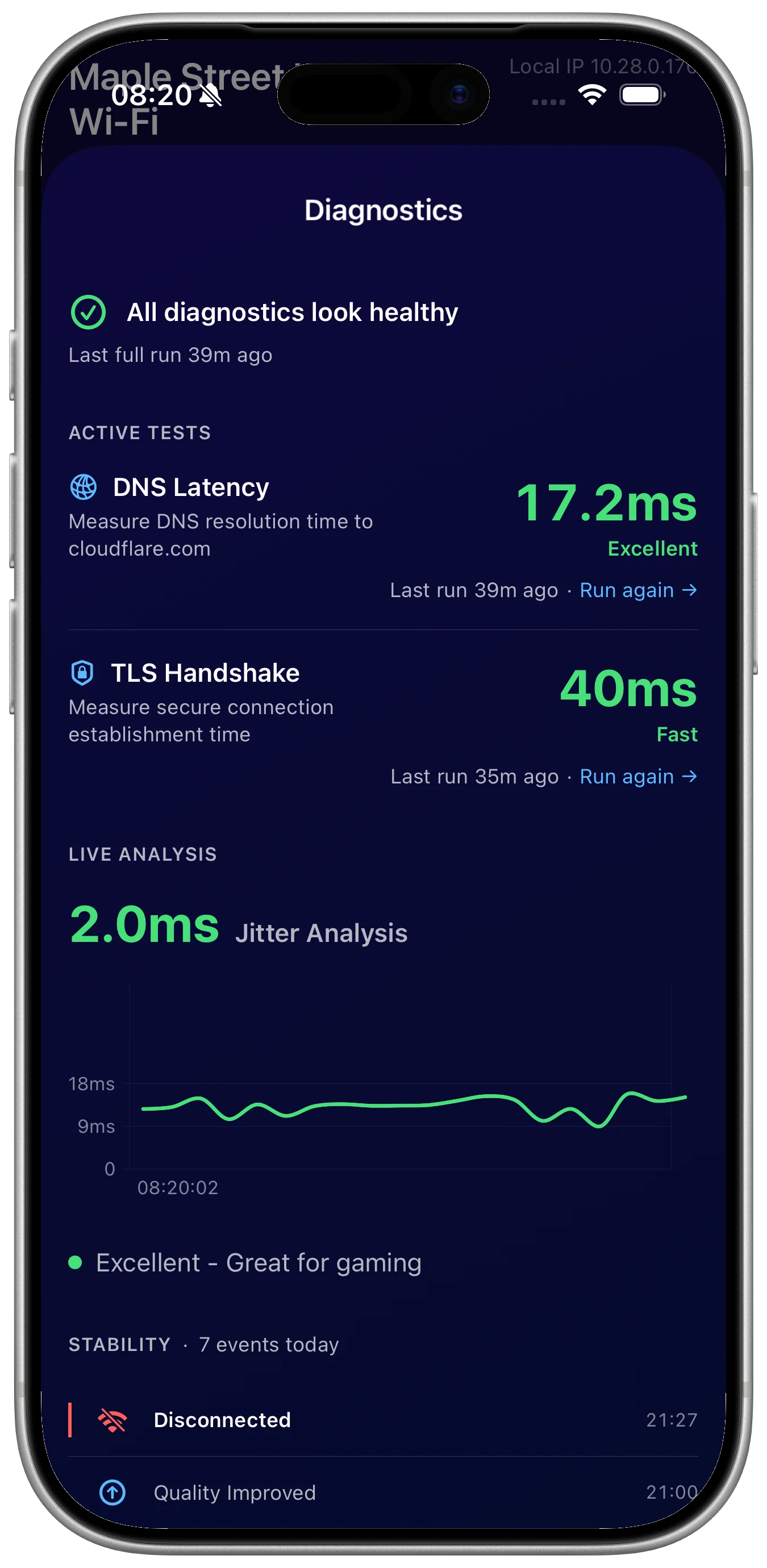
History
Keep past checks available for comparison.
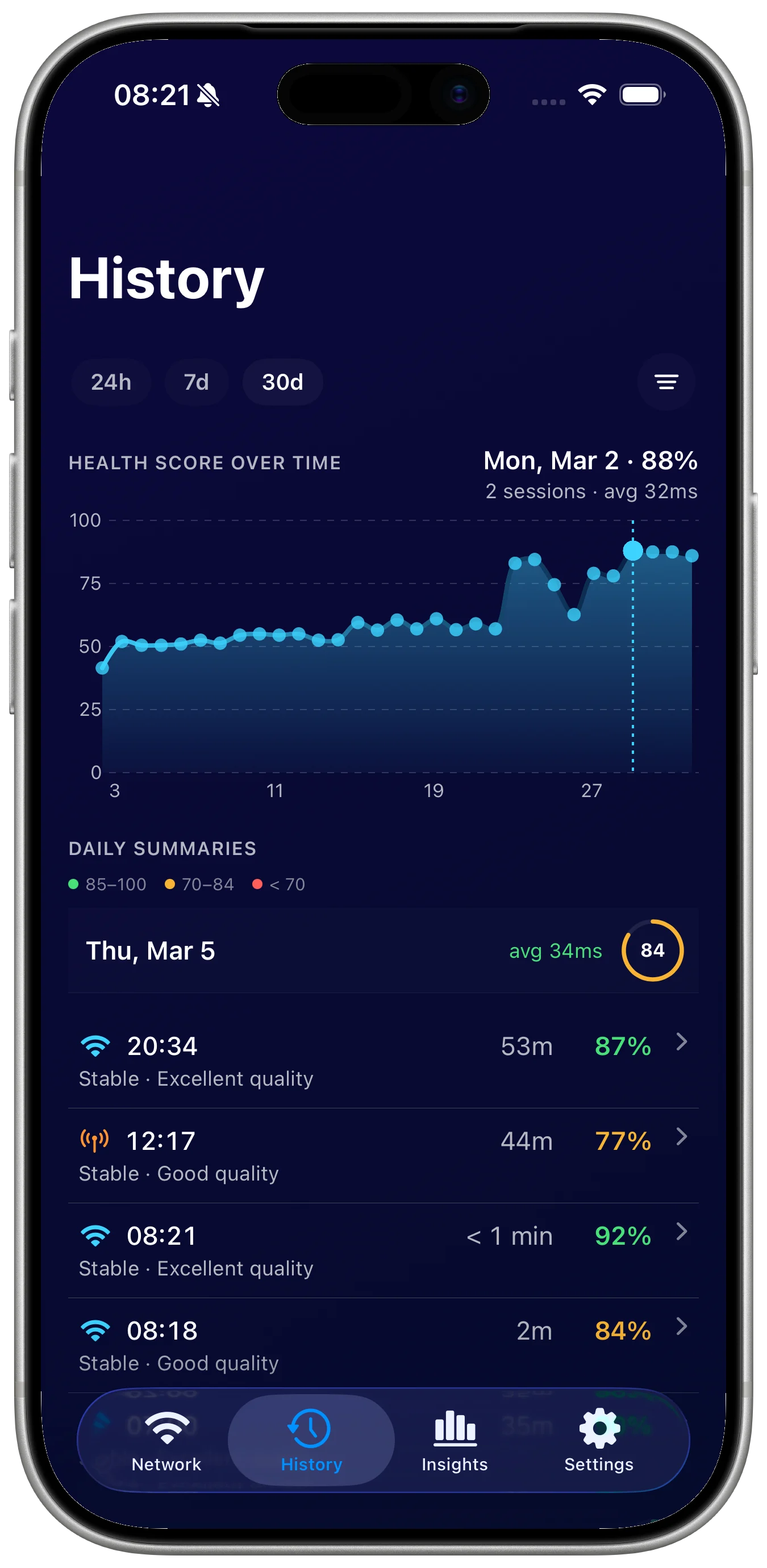
Saved checks help show whether a slow connection is a one-off issue or part of a longer pattern.
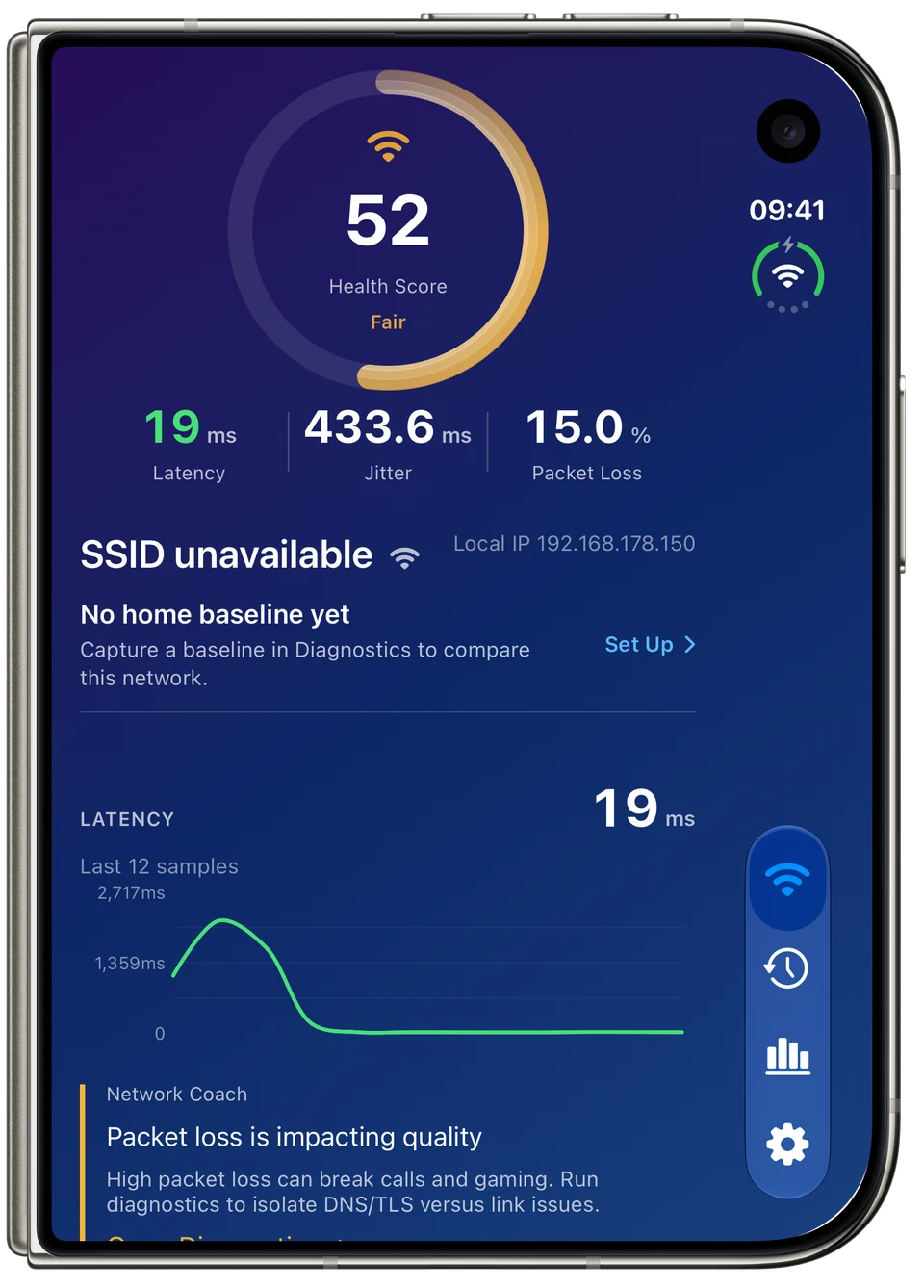
iPhone Duo
Your connection. Room to see more.
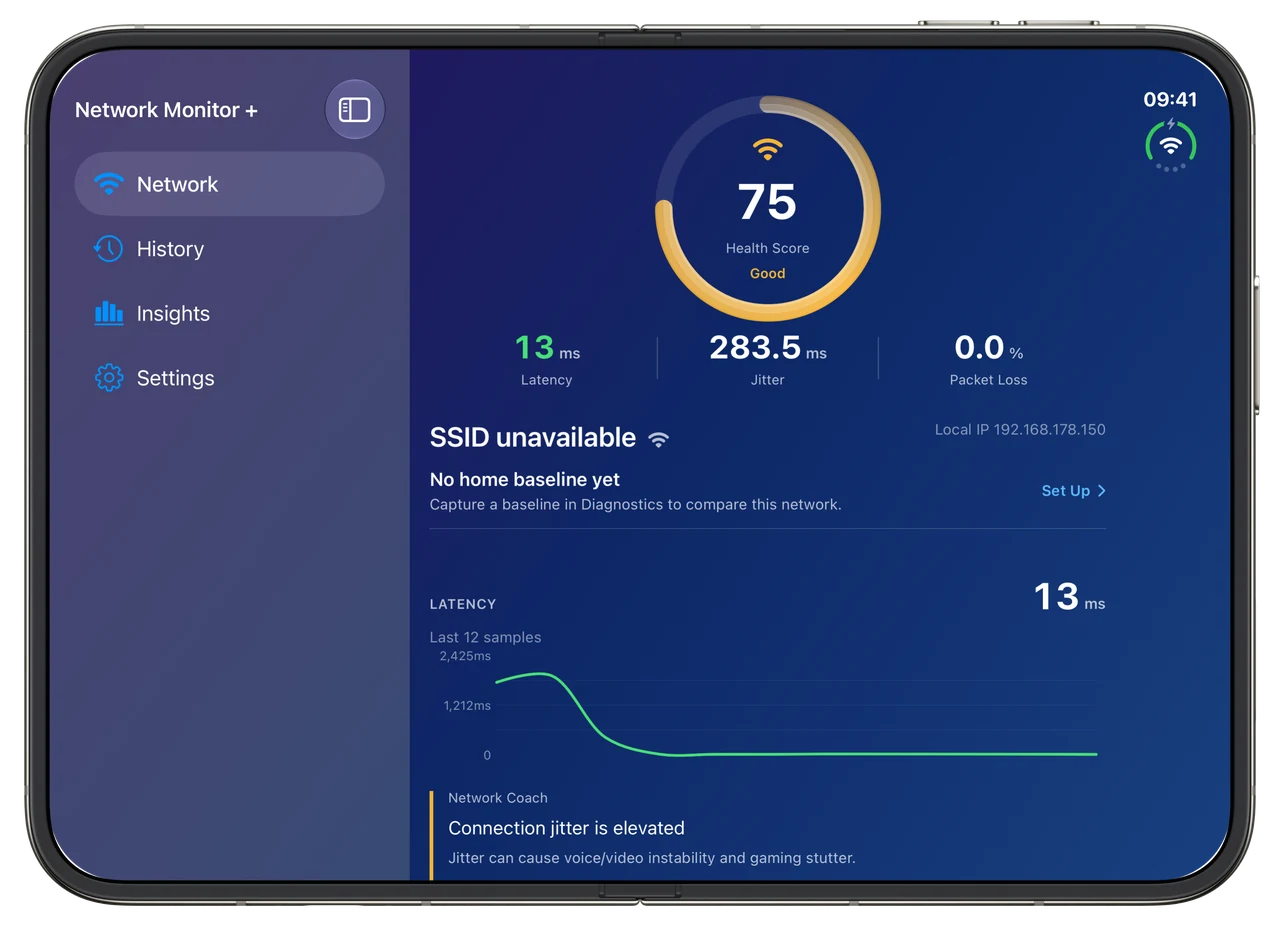
A quick check on the compact display. Unfold for a wider view of your network health and recent latency.
Repeat checks
History and settings support regular monitoring.
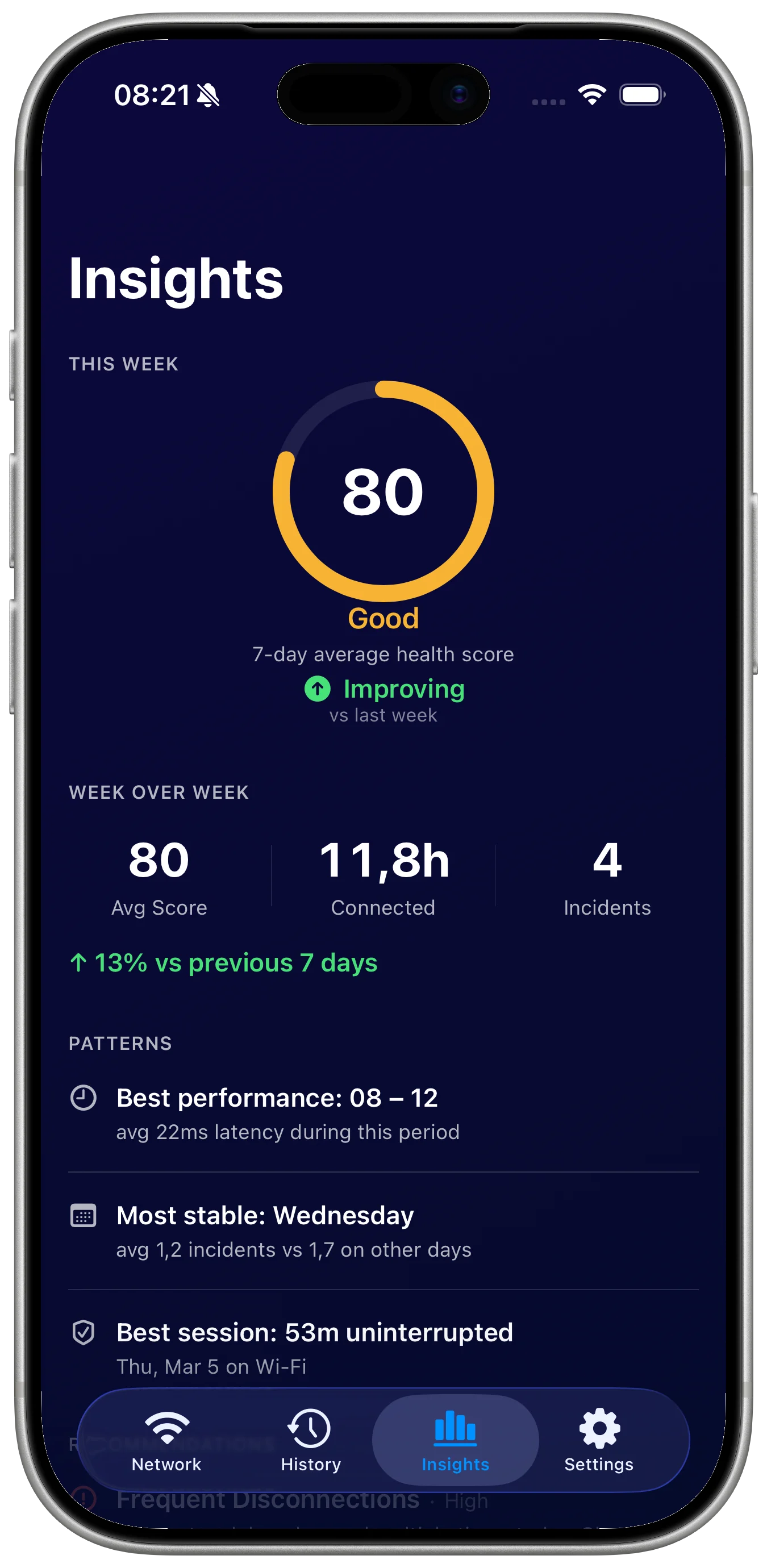
Saved reports and clear preferences make repeated network checks easier to trust.
Download
Ready to try Network Monitor+?
Network Monitor+ is available on the App Store for supported devices.

What's new
What is new in Network Monitor+.
Latest update
Version 1.2 for Mac
September 27, 2026
- A native Mac workspace for live connection health, latency, jitter, failed checks and current traffic.
- Free 24-hour history, on-demand DNS and TLS checks, and basic menu bar and widget summaries.
- Pro adds seven-day and 30-day history, insights, saved baseline comparisons, a stability log, alerts and CSV or PDF exports.
- A localized Mac interface with shared Monthly or Lifetime Pro access across supported iPhone, iPad and Mac versions.
A closer look
Network Monitor+, in more detail.
What it is
Network Monitor+ helps you understand connection quality on Mac, iPhone and iPad. The native Mac app brings live latency, jitter, failed-check rate and current traffic together with recorded sessions. Pro adds longer Mac history, insights, saved baseline comparisons, alerts and exports.
Who it helps
Network Monitor+ is designed for people who want quick network status, speed, latency, and widget-based monitoring across iPhone and iPad workflows.
- Check live upload and download speed
- Diagnose latency and connection changes
- Use widgets for quick network status
- Review history when a connection feels unreliable
FAQ
Questions, answered.
Who is Network Monitor+ for?
Network Monitor+ is for people who want quick network status, speed, latency, and widget-based monitoring across iPhone and iPad workflows.
What can I do with Network Monitor+?
Use it to check live upload and download speed, diagnose latency and connection changes, use widgets for quick network status, and review history when a connection feels unreliable.
What makes Network Monitor+ focused?
Network Monitor+ keeps its main tasks easy to reach: check live upload and download speed and diagnose latency and connection changes. The interface stays clear enough for repeated use.
How does Network Monitor+ handle privacy?
Network Monitor+ keeps support and privacy details close to the product page, so the formal data-handling information is easy to review before download.
Newsletter
New apps and product notes.
Occasional updates, no spam.
Your email is used only for NextTap updates. You can unsubscribe from any email.